
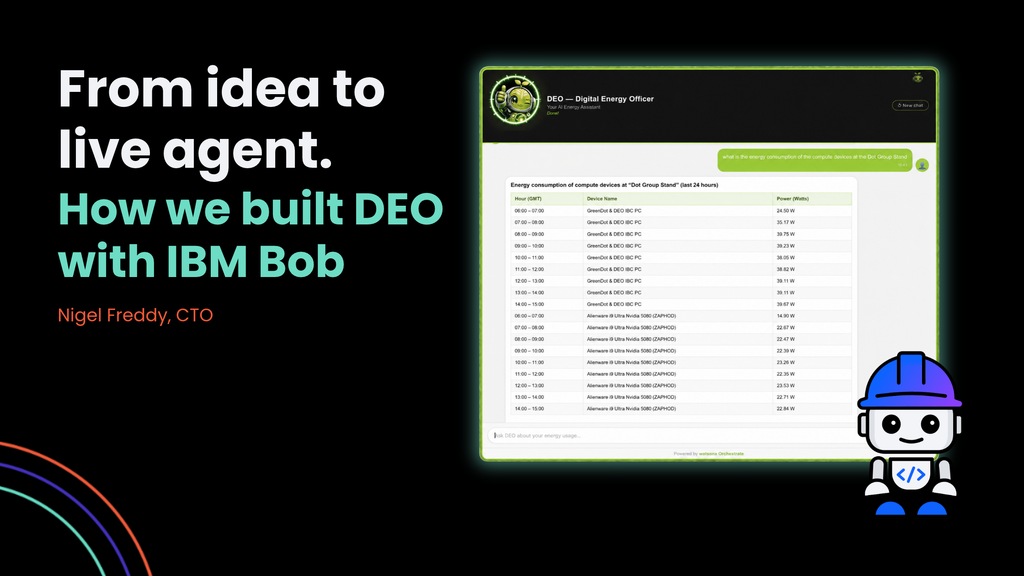
Most AI assistants never make it past the demo. Nigel Freddy, Dot Group’s CTO, explains how he used IBM Bob to take DEO from a blank page to a live watsonx agent on IBM Code Engine.
By Nigel Freddy, CTO, Dot Group
There’s a point in most AI projects where the demo works and the real thing doesn’t. The agent answers questions beautifully on a laptop. Then it meets security policies, authentication, live data and real users, and progress slows to a crawl.
We hit that point building DEO. We got past it with IBM Bob.
What DEO does
GreenDot™ is Dot Group’s energy, cost and carbon monitoring platform. It measures what devices actually use. DEO, GreenDot’s Digital Energy Officer, is an optional layer on top that lets people ask questions about that data in plain language. Which servers used the most energy last night? Why did consumption spike on Tuesday? What does this figure mean for our carbon footprint?
DEO is an agent built on IBM watsonx Orchestrate. It queries live energy data held in SingleStore through a set of tools, then explains what it finds. It runs on IBM Code Engine. Visitors to our stand at IBC 2026 in Amsterdam used it live.
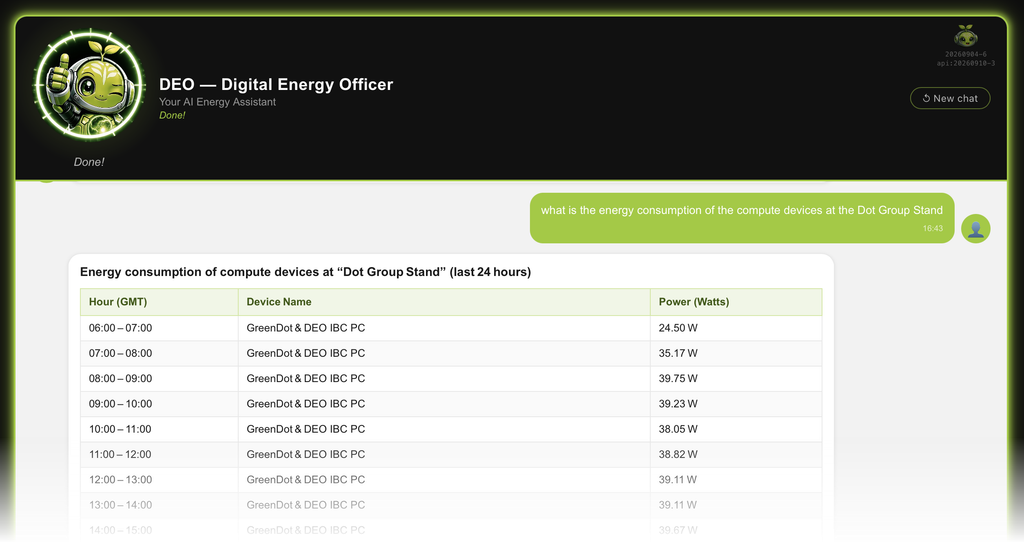
One rule shaped the whole design. DEO never makes up a number. Every energy and carbon figure comes from the GreenDot platform. The AI’s job is to find the right data, explain it and help people act on it. That matters when the subject is energy reporting. An assistant that guesses is worse than no assistant at all.
Where IBM Bob came in
I built the first version of DEO in May and June 2026, then refined it through July and August as the GreenDot application was finalised, and got it ready for IBC in September.
The first real obstacle was security. Browsers aren’t allowed to talk to the watsonx Orchestrate service directly, for good reason. IBM Bob spotted the problem straight away and designed a way round it. A small backend service sits between the website and IBM. It handles authentication securely and keeps track of each conversation, so DEO remembers what you asked a moment ago.
From there, IBM Bob wrote the configuration that packages everything up and runs it on IBM Code Engine. Getting a pattern right first time, rather than after a day of debugging, adds up quickly over a project.
How I work with IBM Bob
The difference between IBM Bob in a demo and IBM Bob on a real project isn’t the model. It’s how you work with it.
On DEO I gave IBM Bob a standing brief at the start: what we were building, the decisions already made, and the things it must never do. At the end of every session, IBM Bob wrote a short note of what had happened, what was decided and what was left to do. The next session started by reading those notes. Over the life of the project that came to more than fifty entries. The project never lost its thread, even after a two-week break.
I also matched the mode to the task: Plan for thinking through the design, Agent for building, Ask for checking IBM product detail. Every change went into version control, so there was always a clear record of what IBM Bob produced and what I approved.
None of that is complicated. It’s the discipline you’d expect on a well-run project, applied to an AI collaborator.
IBM Bob didn’t replace judgement. I reviewed every decision, checked technical facts against IBM’s documentation and made the calls. What changed was the pace. Work that would normally need several people to coordinate could be held together by one, because IBM Bob carried the context.
What this means for our clients
DEO started as our own product, but the approach isn’t specific to energy data. The same pattern works wherever people need to ask questions of trusted data and get a straight answer: operations, finance, customer service, IT support.
That’s the work our Activate AI practice does. We help clients get from idea to a deployed agent on IBM watsonx orchestrate, with the guardrails that make it safe to use. And we now use IBM Bob across our own delivery to get there faster.
If you’re thinking about an AI assistant on top of your own data, or you’re curious about what IBM Bob could do for your team, talk to us.
Nigel Freddy is CTO at Dot Group and an IBM Bob Advocate. He leads Dot Group’s technical delivery across data, AI and IBM’s software portfolio.